PM Chromebook Scheme 2026: How to Apply Online
Learn who qualifies for the PM Youth Chromebook Scheme 2026, which documents you need, and how to apply online through the IBCC portal step by step.
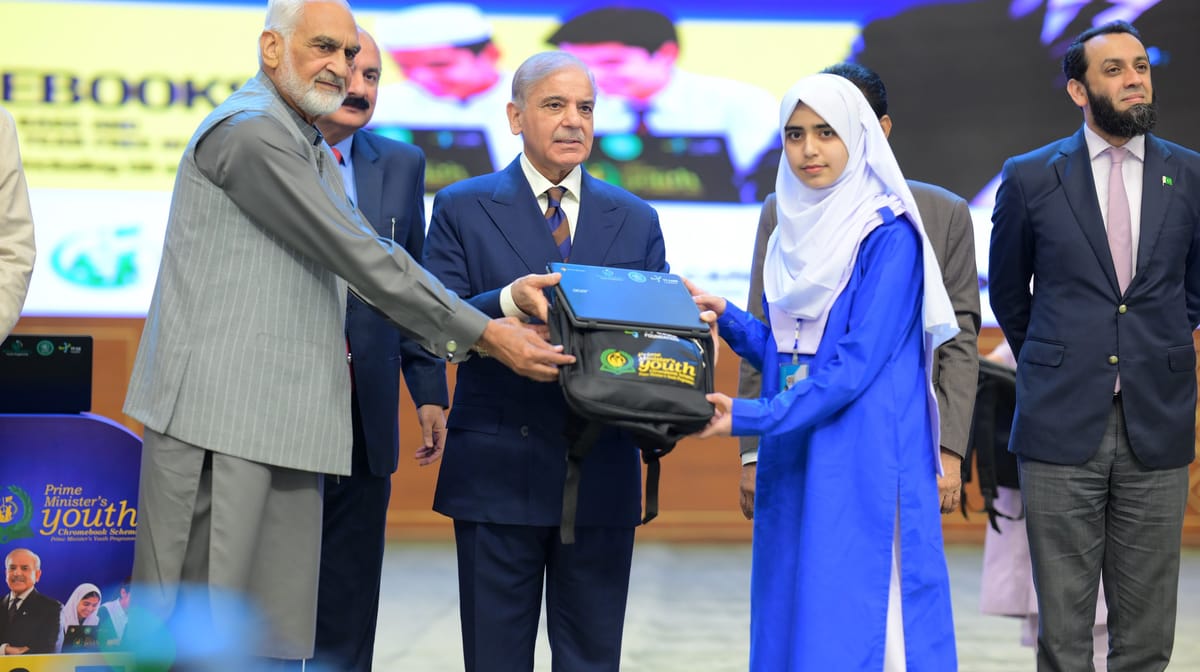
Half a million students across Pakistan are set to receive free Chromebooks under the PM Youth Chromebook Scheme, and registration is now open online through the Inter Boards Coordination Commission (IBCC).
The laptops will go to high-achieving students from public-sector schools. Below, Imroz explains who qualifies, which papers you need, and how to complete the application without errors.
What Is the PM Chromebook Scheme?
The scheme is an initiative of the Prime Minister's Youth Programme to put 500,000 Chromebooks in the hands of deserving students. Its goal is to close the digital gap in education, so that young learners can attend online classes, carry out research and use e-learning material from home.
The programme forms part of the government's wider Digital Pakistan agenda, which aims to bring technology into classrooms and other public services.
A Chromebook is a light, affordable laptop that runs Google's ChromeOS. Because it works mostly through web-based apps, it is well suited to virtual lessons, assignments, word processing and online study resources.
Chromebook Scheme Eligibility Criteria
Whether a student qualifies depends on two things: the board they are registered with and their exam results. The criteria published on the IBCC portal break down as follows:
| Region / Board | Who can apply |
|---|---|
| Punjab, Sindh, Khyber Pakhtunkhwa, Balochistan | High-scoring Class 9 (SSC Part-I) students of government and public schools |
| Islamabad Capital Territory, Azad Jammu & Kashmir, Gilgit-Baltistan | High-scoring Class 9 (SSC Part-I) and Class 10 (SSC Part-II) students |
Private school students are not covered under the current criteria shown on the official website.
View this post on X
How to Apply for the PM Chromebook Scheme Online?
The whole registration is digital. Keep your board and identity details handy, then follow these steps:
1. Open the official website: Go to pmychromebooks.ibcc.edu.pk. Do not share personal data on look-alike or unofficial sites.
2. Choose your board: Pick the board that conducted your exam, since the portal checks your data against that board's records.
3. Enter an identifier: Type your CNIC/B-Form number, roll number or registration number exactly as it appears in board records.
4. Add your date of birth: Use the same date shown on your school or identity documents, as it is used for verification.
5. Press "Find My Record": The system will search the data shared by your board.
6. Verify your details: If a match appears, check your name, school, exam information and marks carefully.
7. Retry if nothing shows up: Search again with your roll number or registration number instead of your CNIC/B-Form.
8. Finish the form: Fill in the remaining fields, upload the required documents and submit.
Check everything twice before the final click. Once submitted, applicants cannot change their information themselves. The portal then issues a reference number and an application slip; download it and keep it safe as proof of registration.
Documents Required for the Chromebook Scheme
Students whose records are found must upload the following:
• A recent passport-style colour photo (JPG or PNG only)
• The SSC Part-I or Part-II result card, as applicable
• An attested copy of the student's CNIC or B-Form
• An attested copy of the father's or guardian's CNIC
Apart from the photo, documents may be uploaded as JPG, PNG or PDF. Each file must be 300 KB or smaller. When compressing scans, make sure the text stays sharp and readable, or the application may be rejected.
Important Rules Before You Apply
Only one application per student. The portal accepts a single submission, so an incomplete or wrong form cannot simply be replaced with a fresh one.
Record not found?
This does not always mean you made a typing mistake. The IBCC portal depends entirely on data sent by the education boards. Try all three search options; if your record still does not appear, contact your board's office directly.
Last date to apply.
No single nationwide deadline has been posted on the official portal so far. Boards may announce their own schedules and extensions, so follow your board's official notices rather than dates circulating on social media.
Frequently Asked Questions
What is the official website for the PM Youth Chromebook Scheme?
The only official portal is pmychromebooks.ibcc.edu.pk, run by IBCC.
How many Chromebooks will be distributed?
The government plans to hand out 500,000 Chromebooks to students nationwide.
Can private school students apply?
No. Under the current criteria, only students of government and public schools are eligible.
Which classes are eligible?
Class 9 students in the four provinces, and both Class 9 and Class 10 students in Islamabad, AJK and Gilgit-Baltistan.
What is the file size limit for documents?
Every uploaded file must be 300 KB or less.
Can I edit my application after submitting it?
No. Applicants cannot edit their details directly after submission, so review the form carefully first.
What should I do if my record is missing?
Search using your CNIC/B-Form, roll number and registration number in turn. If none works, contact your education board.